Publish faster
Generate visual + caption assets in one flow instead of juggling templates, docs, and copy threads.

Turns out .lol doesn't magically make money.
Back to SEO.
Job Visuals AI turns your feed into ready-to-publish visuals and captions, including 3 visual formats per job for Facebook, LinkedIn, and Instagram, so you can promote jobs consistently without opening design tools for every post.
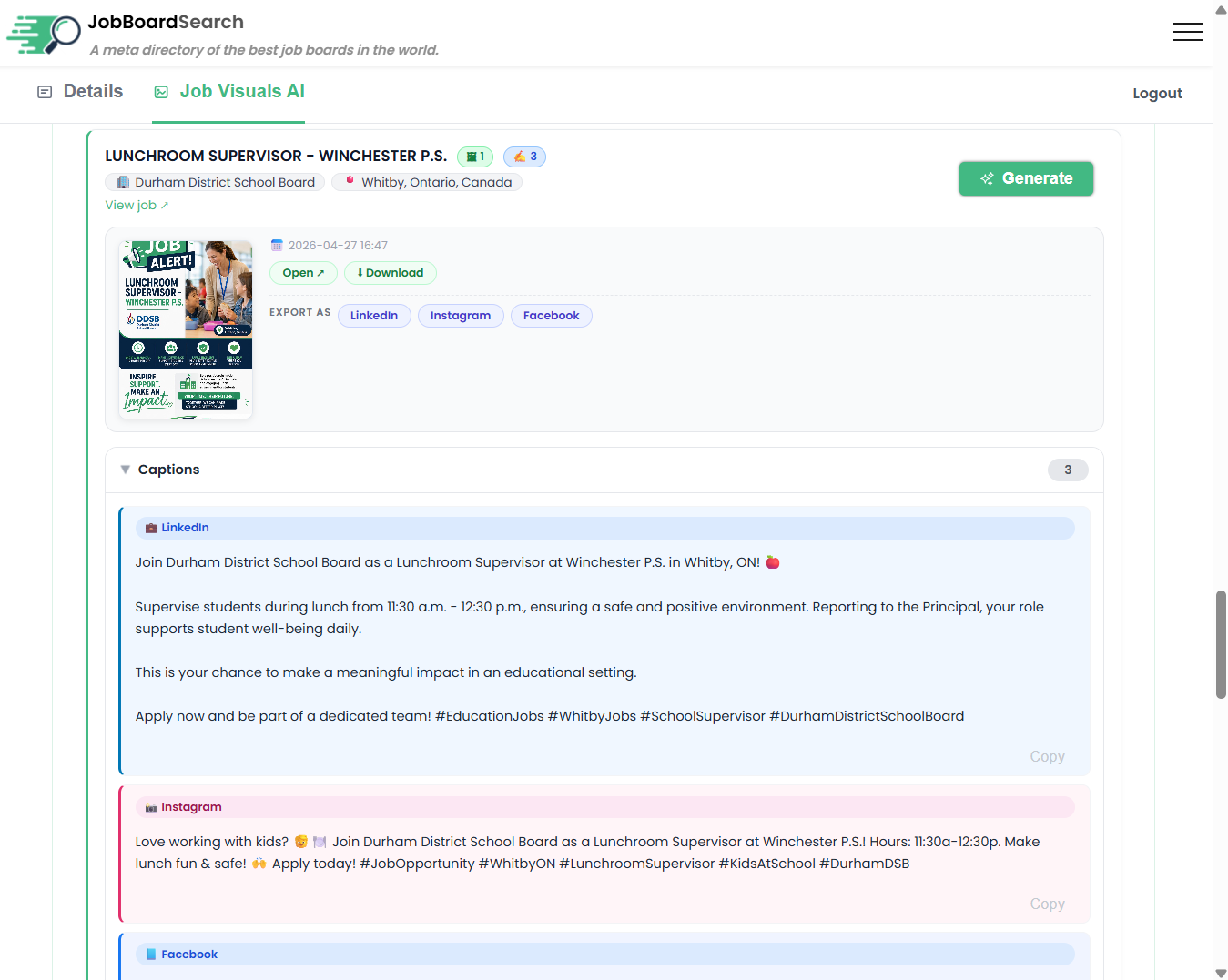
This is where you review jobs from your feed, generate visuals, create captions, and manage monthly usage.
Most boards fail to promote jobs consistently because content creation is fragmented. This feature removes that friction.
Generate visual + caption assets in one flow instead of juggling templates, docs, and copy threads.
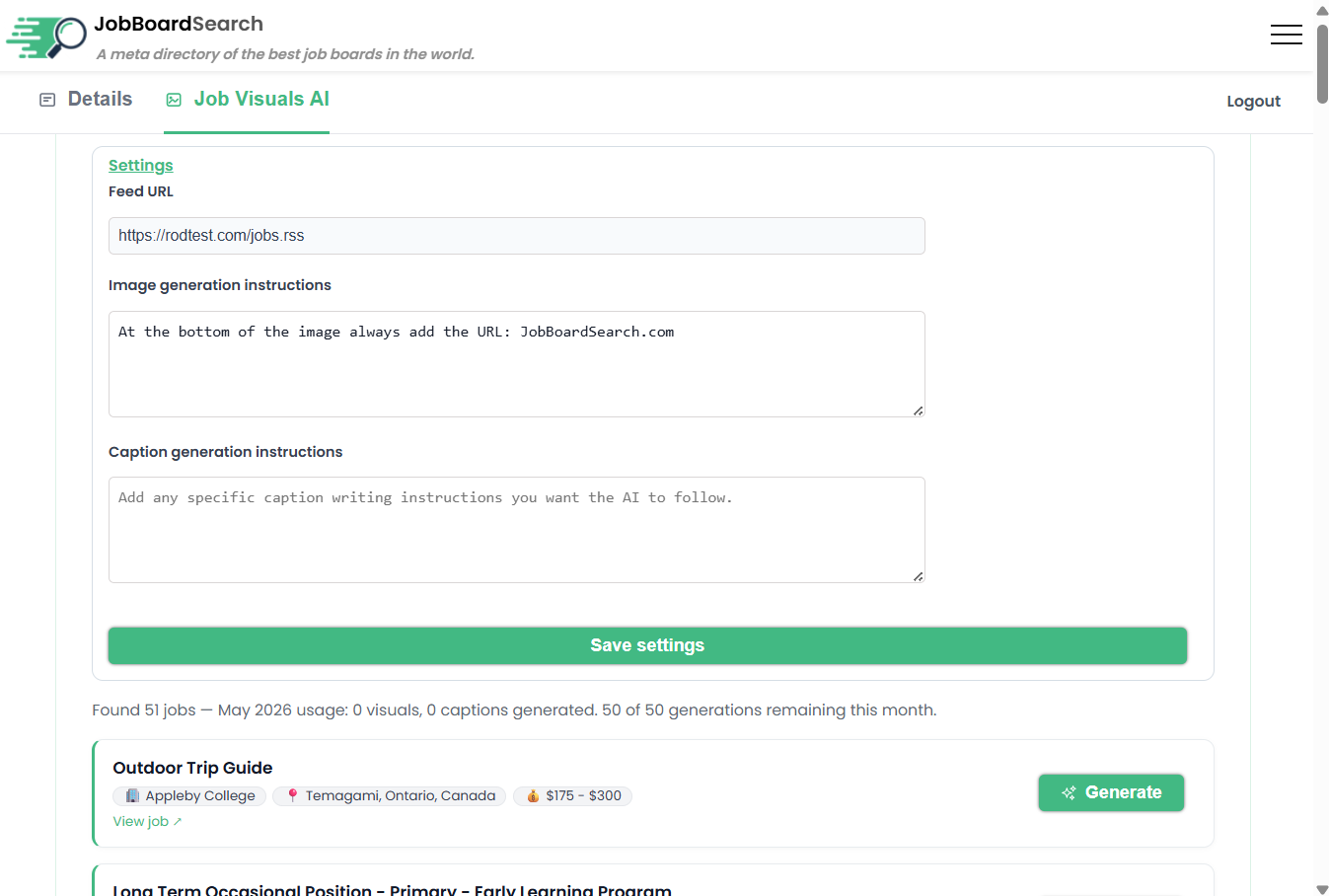
Use custom image and caption instructions so every generated post follows your tone and visual identity.
Cover a larger share of your feed every week and keep distribution active even on busy launch weeks.
You already have jobs in your feed. Job Visuals AI converts them into distribution assets in four quick steps.
The Job Visuals tab reads jobs from your connected feed and lists them for generation.
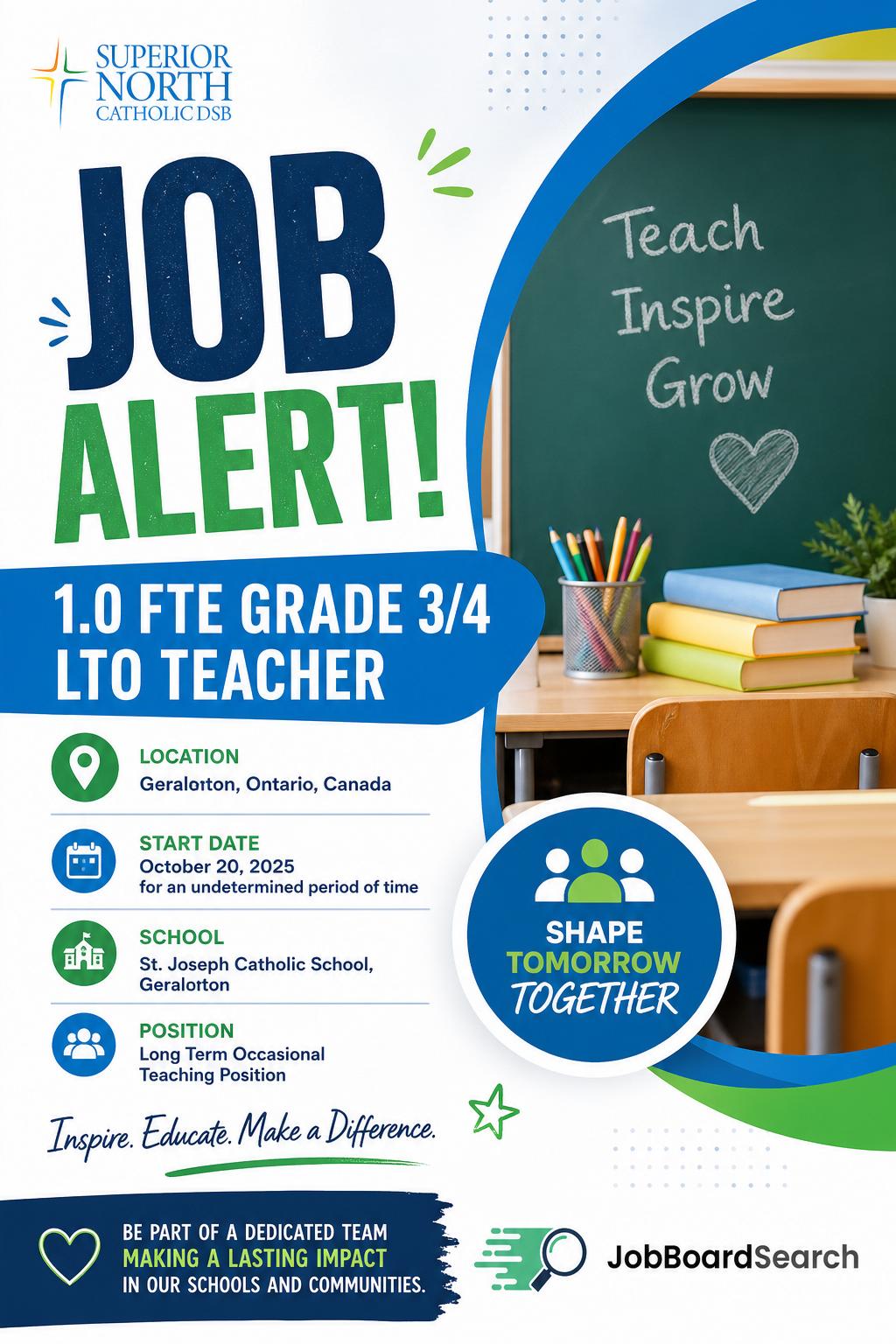
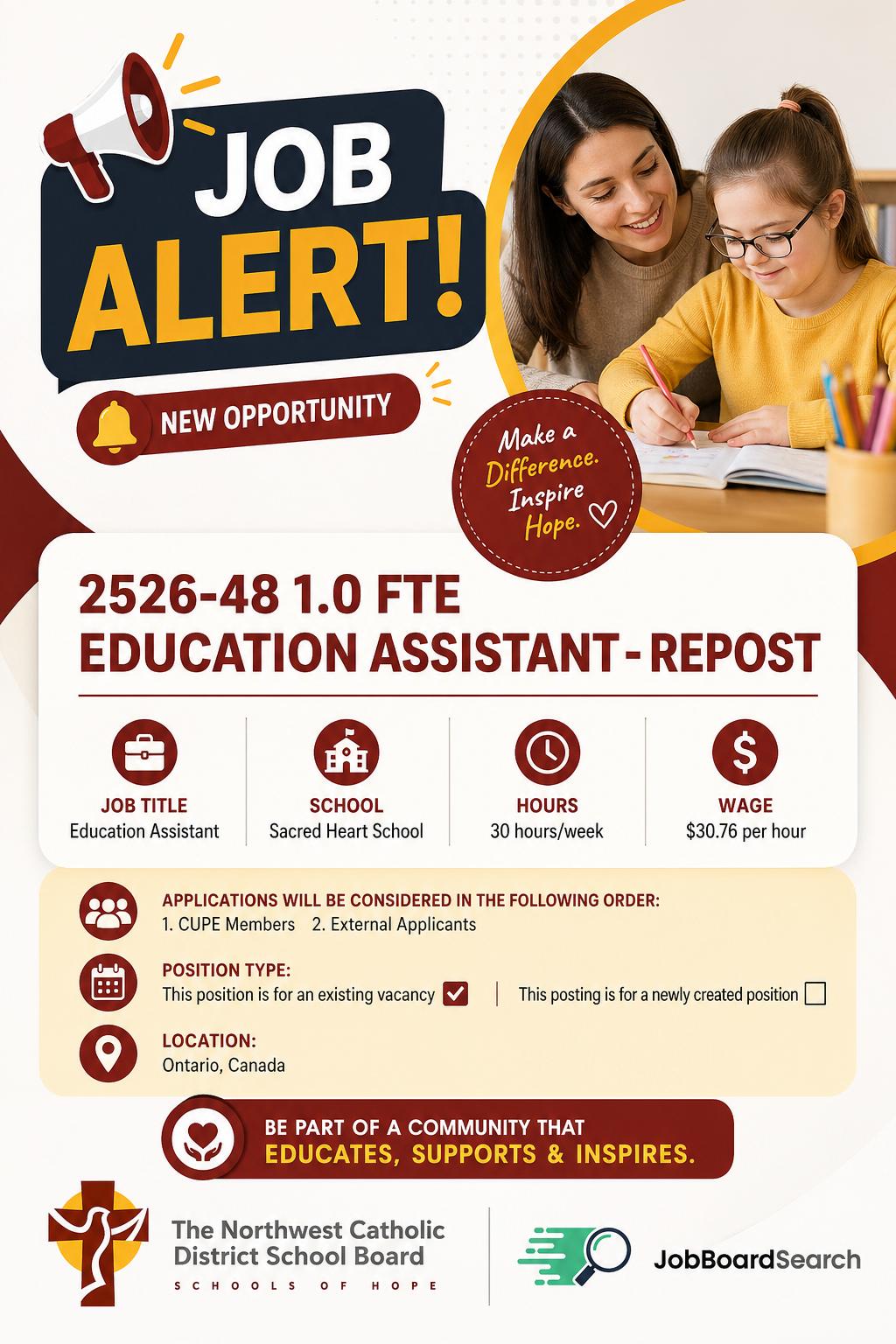
Create branded graphics for each role using board logo + employer logo and key fields from the job post (title, location, salary, and description), delivered in 3 formats for Facebook, LinkedIn, and Instagram.
Produce platform-friendly caption copy with role context and a clear apply hook.
Monitor monthly generation usage and add extra generations immediately when needed.
A sample of visual posts generated from live job data, including job board branding, employer logos, and details like salary, location, title, and description.






Start with teaser usage, unlock the monthly plan when ready, and top up only when you need extra volume.
No. If your board feed is already configured, you can generate content directly from your Job Visuals tab.
Yes. You can add image-generation and caption-generation instructions in Job Visuals settings.
You can buy a top-up pack instantly. Credits apply to the current month and update your remaining generations.
Submit your board first, then open the Job Visuals tab once your board context is available.
Launch your first Job Visuals workflow and generate visual + caption assets directly from your board.