Understanding JobPosting Schema for Job Boards
Updated: 05 October 2026
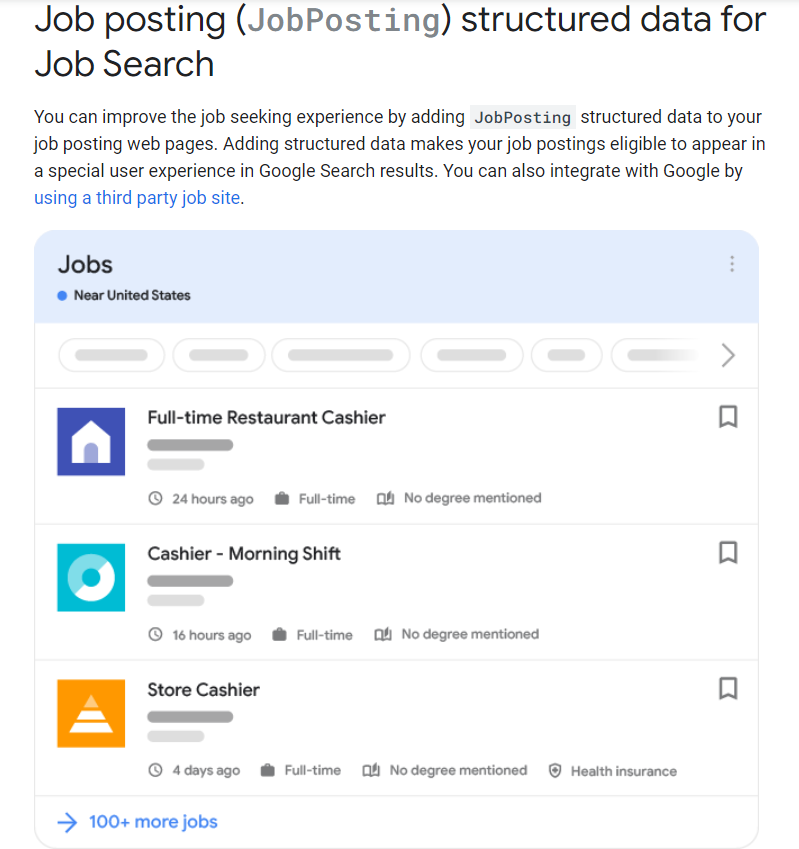
JobPosting is structured data (usually JSON-LD) that tells Google exactly what a job is: title, employer, location, salary, and when it expires. Adding it makes your job pages eligible for Google's job search experience, which shows the employer logo, job details and filters such as location and job title, so the people who click through are more likely to match the role.
Google doesn't guarantee that marked-up pages will appear in this experience. But without the markup, your listings aren't eligible at all.
Types of Job Listings
Job boards typically handle three kinds of listings, and each needs different location markup:
- On-site jobs: the employee works at a specific physical location.
- Fully remote jobs: the employee works 100% remotely, from home or anywhere they choose.
- Hybrid/Flexible jobs: the employee splits time between an office and home.
Required Properties
To be eligible, every job page must include these five properties:
| Property | What to know |
|---|---|
| title | The job title only. No company names, addresses, dates, salaries or job codes, and no "HIRING NOW!!!" style text. If you're a third-party board, pass the title through as the employer wrote it. |
| description | The full job description in HTML, covering responsibilities, qualifications, skills, hours, education and experience. It can't just repeat the title. Google recognizes <p>, <ul> and <li>. |
| datePosted | The original posting date in ISO 8601 format (e.g. 2026-10-05). |
| hiringOrganization | The company name, not the specific branch or site. For anonymous employers, use "confidential" as the name. |
| jobLocation | The physical place where the employee reports to work, with addressCountry always included. Add as many address fields as you can. For several locations, use an array. Not required for 100% remote jobs that include applicantLocationRequirements. |
Recommended Properties
These aren't mandatory, but they improve the quality of your listings:
- validThrough: the expiry date and time. It's required if the job has an expiry date. If a job never expires or you don't know when, leave it out.
- employmentType: one or more of FULL_TIME, PART_TIME, CONTRACTOR, TEMPORARY, INTERN, VOLUNTEER, PER_DIEM, OTHER (case-sensitive).
- baseSalary: see the salary section below.
- identifier: the employer's own unique ID for the job.
- directApply: whether candidates can apply on your page with a short, simple process, without repeated clicks or logins. Google is still developing how it uses this, so you may not see an effect yet.
- hiringOrganization.logo: only if you're a third-party board and want a logo different from the employer's knowledge panel. The image's width-to-height ratio must be between 0.75 and 2.5.
- jobLocationType and applicantLocationRequirements: required for 100% remote jobs (see below).
Beta: education and experience
Google also accepts educationRequirements (with credentialCategory values such as "high school", "associate degree", "bachelor degree", "professional certificate" and "postgraduate degree"), experienceRequirements.monthsOfExperience and experienceInPlaceOfEducation. Google is still developing how it uses them, so you may not see an effect yet. Keep describing these requirements in the description as well.
How to Mark Up Each Job Type
On-site jobs
Use jobLocation with a full PostalAddress. Don't add remote properties.
Fully remote jobs
Use jobLocationType: "TELECOMMUTE" together with applicantLocationRequirements, with at least one country. The jobLocation property isn't required when applicantLocationRequirements is present. The job description must also clearly say the job is 100% remote and where applicants can be located.
If you leave out applicantLocationRequirements, Google falls back to the country in jobLocation, so specifying it is the safer choice.
Hybrid and flexible jobs
Be careful here. TELECOMMUTE is only for jobs that are fully remote. Google says not to use it for occasional work from home, remote work as a negotiable perk, or any arrangement that isn't 100% remote.
- Job requires some office days: mark it up as an on-site job, with jobLocation only.
- Candidate can choose either the office or fully remote: use jobLocation plus jobLocationType: "TELECOMMUTE", and add applicantLocationRequirements to restrict where remote workers can live.
Salary Information
Use baseSalary as a MonetaryAmount:
- currency: ISO 4217 code (USD, EUR, GBP...).
- unitText: one of HOUR, DAY, WEEK, MONTH or YEAR, in capitals.
- Either a single value, or minValue and maxValue for a range.
Two rules matter for job boards:
- Only the employer's actual salary counts. Google says only employers can provide baseSalary. Don't put in estimates or figures you calculated yourself.
- It must be visible on the page. If the salary is in the markup but not on the job page, you're violating Google's policies.
Example: Standard On-Site Job (JSON-LD)
<script type="application/ld+json">
{
  "@context": "https://schema.org/",
  "@type": "JobPosting",
  "title": "Software Engineer",
  "description": "<p>We are looking for a software engineer to join our platform team.</p><ul><li>Build and maintain backend services</li><li>3+ years of experience with PHP or Python</li></ul>",
  "identifier": {
    "@type": "PropertyValue",
    "name": "Example Corp",
    "value": "SE-2026-014"
  },
  "datePosted": "2026-10-05",
  "validThrough": "2026-11-05T00:00",
  "employmentType": "FULL_TIME",
  "directApply": true,
  "hiringOrganization": {
    "@type": "Organization",
    "name": "Example Corp",
    "sameAs": "https://www.example.com",
    "logo": "https://www.example.com/images/logo.png"
  },
  "jobLocation": {
    "@type": "Place",
    "address": {
      "@type": "PostalAddress",
      "streetAddress": "123 Main St",
      "addressLocality": "Austin",
      "addressRegion": "TX",
      "postalCode": "78701",
      "addressCountry": "US"
    }
  },
  "baseSalary": {
    "@type": "MonetaryAmount",
    "currency": "USD",
    "value": {
      "@type": "QuantitativeValue",
      "minValue": 90000,
      "maxValue": 120000,
      "unitText": "YEAR"
    }
  }
}
</script>
Example: Fully Remote Job
<script type="application/ld+json">
{
  "@context": "https://schema.org/",
  "@type": "JobPosting",
  "title": "Customer Support Specialist",
  "description": "<p>This is a 100% remote position open to candidates located in the United States.</p>",
  "datePosted": "2026-10-05",
  "validThrough": "2026-11-05T00:00",
  "employmentType": "FULL_TIME",
  "hiringOrganization": {
    "@type": "Organization",
    "name": "Example Corp",
    "sameAs": "https://www.example.com"
  },
  "jobLocationType": "TELECOMMUTE",
  "applicantLocationRequirements": {
    "@type": "Country",
    "name": "USA"
  }
}
</script>
Technical Guidelines for Job Boards
- Markup goes on single-job pages only. Never add JobPosting markup to search results, category pages or any list of jobs. Google can flag this in Search Console as a policy violation, and it can lead to a manual action.
- Markup must match the visible page. Title, salary, location and description in the schema must appear on the page job seekers see.
- Use canonical URLs if the same job lives under several URLs.
- Make sure Googlebot can crawl the page. It must not be blocked by robots.txt, noindex or a login wall. Job seekers must be able to read the full posting without logging in.
- Every job needs a way to apply on the page.
- Expired jobs must go. Do at least one of these: set validThrough to a date in the past, return a 404 or 410, or remove the JobPosting markup. Leaving expired jobs live risks a manual action.
- Keep your logo consistent. Google uses the employer's knowledge panel logo by default. As a third-party board, you can supply hiringOrganization.logo, but it is only eligible to be shown on your own site.
Content Policies to Watch
Google's job posting policies reject the following, and violations can lead to the postings being removed from the job experience:
- Incomplete descriptions
- Fake or non-existent jobs, including postings whose real purpose is harvesting applicant data
- Jobs posted for a company without authorization
- Keyword-stuffed titles or false location data
- Ads or affiliate content disguised as jobs
- Jobs that require payment from applicants
- Job requests (applicants offering their services) rather than open positions
- Career fair invitations and similar events
- Resume collection for jobs that aren't currently open
- Profanity, all-caps text and obviously poor grammar
If you aggregate jobs, screen your feeds for these before they reach your markup.
Keeping Google Informed: Indexing API and Sitemaps
For job URLs, Google recommends the Indexing API over sitemaps, because it prompts Googlebot to crawl sooner. Use it to announce new or updated jobs and to request removal of closed ones. You should still submit a sitemap for coverage of the whole site.
If you use sitemaps for job URLs:
- Include only canonical job pages, never search or list pages.
- Make sure the URLs aren't behind a firewall or blocked by robots.txt.
- Keep <lastmod> accurate. It should change only when the job content actually changes, because Google uses it to decide what to recrawl.
Validation and Testing
Test every template before and after you release it:
- Google's Rich Results Test tool, to check your markup and preview the result.
- Schema Markup Validator, for general schema syntax.
- URL Inspection tool in Search Console, to confirm Google can see the rendered page.
- Search Console rich result status reports, to watch for invalid items after launch. A rise in invalid items after a template change usually means the template broke. A drop in valid items without a rise in invalid ones often means the markup is no longer on the page.
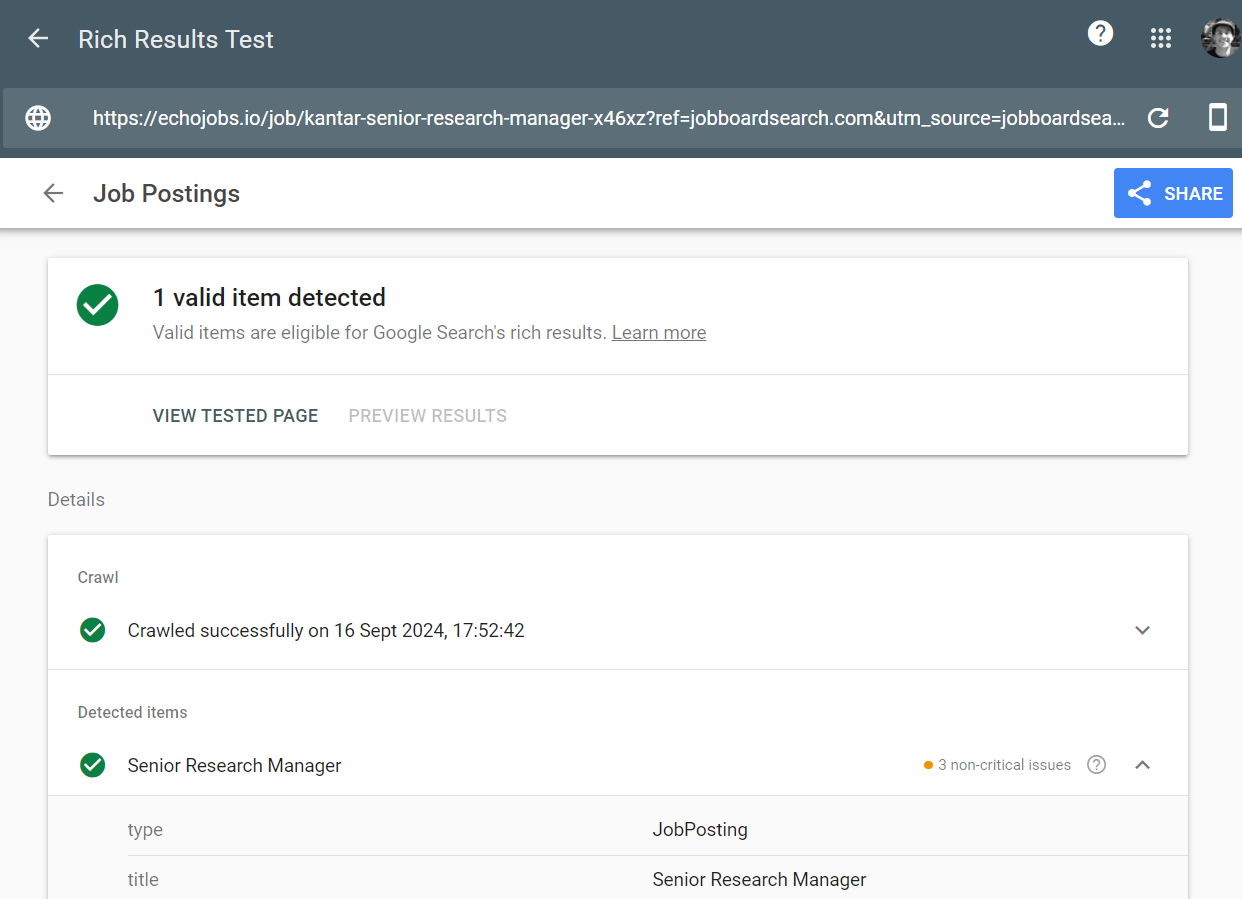
Validating jobPosting schema for a job page with the Google's Rich Results Test tool
Track the Traffic
Google provides UTM parameters you can use to track visits coming from the job experience: utm_source=google_jobs_apply, utm_medium=organic and utm_campaign=google_jobs_apply. You can also use the Performance report in Search Console to see impressions, clicks and average position for your rich results.
Availability
The Google job search experience is available across North America, Latin America, Sub-Saharan Africa and large parts of Europe, Asia and the Middle East and North Africa. Check Google's documentation for the current country list.
Key Takeaways
- Put JobPosting markup only on pages that describe a single job.
- Include the five required properties on every job, and add validThrough whenever the job has an expiry date.
- Use TELECOMMUTE only for 100% remote roles, and always add at least one country in applicantLocationRequirements.
- Only pass on salary figures the employer actually provided, and show them on the page.
- Remove or expire closed jobs quickly.
- Use the Indexing API for job URLs, and keep a sitemap for the rest of your site.
- Validate every template change and monitor Search Console.
By following these guidelines, job boards can improve their visibility in search results, attract more qualified candidates, and provide a better experience for both employers and job seekers.
Everything you need for the implementation is in Google's documentation: "Job posting (JobPosting) structured data for Job Search".
How to implement Google Indexing API?
Read the article: How to Integrate Google Indexing API for job posting URLs